
A passport photo can meet ICAO 9303 head-height requirements yet still fail when the eye line misses the required 30mm position.
An AI-generated headshot can pass the 70–80% head-height band while placing the eye line outside the 30mm-from-bottom target on a 35mm-tall printed photo, requiring both metrics to be checked on the final crop. The exact eye-line tolerance is not established in this guide; confirm it in the current ICAO Doc 9303 Part 5 text before setting an acceptance band.
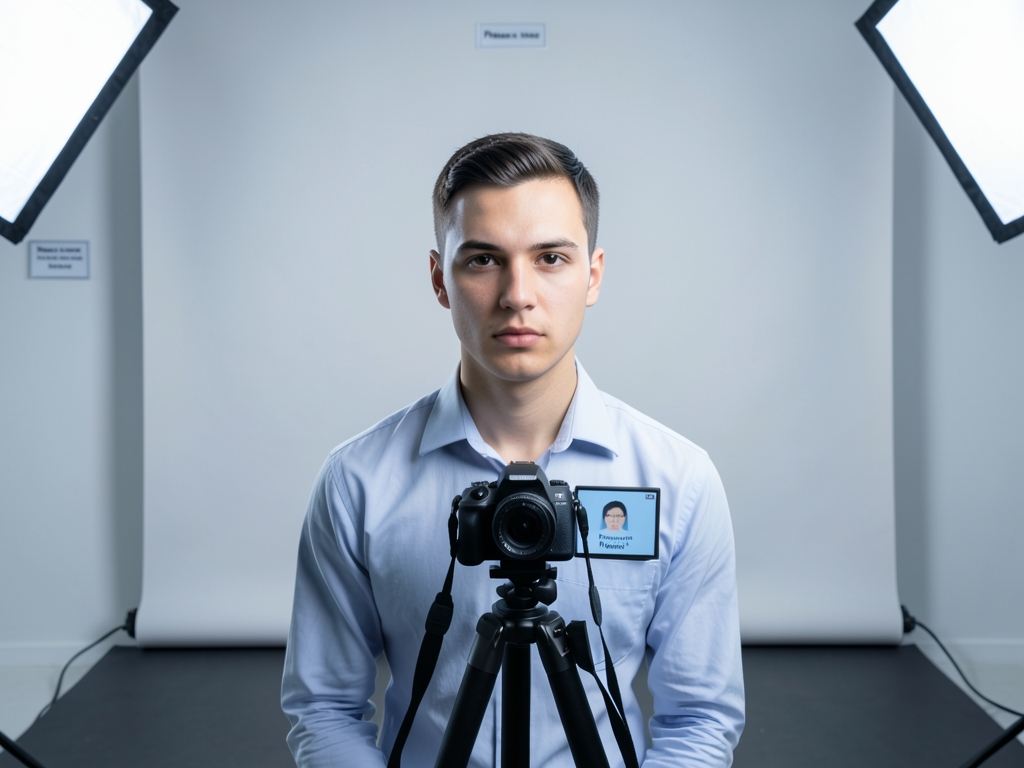
Two Checks, One Failure Mode: Head vs Eyes
ICAO 9303 Part 5, the Machine Readable Travel Documents specification, defines portrait compliance through two separate geometric gates rather than a single composite score. The first gate measures head height as 70–80% of the total image height. The second gate positions the eye line at a fixed distance from the bottom edge of the frame. These checks are independent: a portrait can pass head height and still fail eye-line placement, or satisfy eye position while the head is scaled too large or too small. Treating them as one measurement is the most common reason an AI-generated headshot looks correct but fails a compliance review.
| Geometric gate | What to measure | Pass condition | Common failure |
|---|---|---|---|
| Head height | Distance from chin to crown relative to total image height | Within the 70–80% band | Face scaled too small or too large in the frame |
| Eye line | Vertical position of the eyes relative to the bottom edge | Within the required eye-line band | Eyes sit too high or too low after scaling or cropping |
The failure mode is geometric, not cosmetic. When a generative model or crop tool scales a face to fit the 70–80% head-height band, it adjusts overall face size but does not normalize facial proportions. A subject with a proportionally longer chin-to-eye distance can occupy the correct share of the frame while the eyes land below the required eye-line mark. The opposite also occurs: a shorter upper-face proportion can push the eyes too high even when head height is correct. Because the two measurements anchor to different landmarks, correcting one can leave the other out of band.
The verification method is a two-metric pixel check on the final crop, not a visual estimate. Use facial landmark detection to locate the chin, crown, and eye centers, then measure head height as a percentage of image height and measure eye-line position from the bottom edge in pixels. Both values must fall within their respective ICAO 9303 Part 5 bands before the image is submitted. If either measurement fails, re-crop the image first; regenerate only when re-cropping cannot resolve the failure, and never retouch geometry by warping or repositioning facial features.
This two-check routine matters most for AI-generated portraits because generation systems optimize for visual plausibility, not document geometry. A face can appear centered, well lit, and properly sized while its landmarks sit outside the required bands. Running both measurements on every output turns compliance from a subjective judgment into a repeatable pass-or-fail gate.
The Evidence: What 9303 Actually Fixes
Start with the printed-photo geometry this guide uses as its reference. ICAO Doc 9303 Part 5, the Machine Readable Travel Documents specification, is commonly cited for a canonical printed portrait of 35mm tall with the eye line positioned 30mm up from the bottom edge; confirm both figures in the current Part 5 text before relying on them. That is the physical reference behind the percentage checks applied to digital crops.
The conversion is simple division: 30 ÷ 35 = 0.857142…, so the eye line sits at roughly 85.7% of the image height measured from the bottom, or about 14.3% down from the top. Those two millimeter figures are the only printed-photo dimensions this section supplies; everything downstream is a rescaled version of them.The 85.7% figure is not a competing rule to the head-height band; it is the eye-line requirement expressed on a different axis. The 70–80% head-height band governs the chin-to-crown share of the frame, while the eye-line gate positions the pupils relative to the bottom edge. A generated headshot can land squarely inside the head-height band and still place the pupils too high or too low relative to the 30mm-from-bottom reference, which is why both gates must be measured separately on the final crop.
Read the tolerance band as a check, not a settled figure. The 30mm-from-bottom position on a 35mm-tall printed photo is the reference this guide uses, but the exact tolerance ICAO 9303 Part 5 allows around that position is not established here. Until you confirm the tolerance language in the current Part 5 text or the destination authority's specification sheet, treat the 85.7% center (30 ÷ 35) as the target and aim for it rather than the edge of any assumed band: measure where the eye line actually falls, compare it to the center first, and only apply a band edge after you have confirmed that edge from the primary document.
Convert the printed geometry to your working canvas before you judge any generated image. Because the specification states proportions against total height, the same 30 ÷ 35 relationship holds whether the final crop is 35mm tall on paper or several hundred pixels tall on screen. Measure from the bottom edge of the final crop to the horizontal line through both pupils, divide by the crop’s total pixel height, and compare the result to 85.7%. Do the same for face height: measure from the bottom of the chin to the top of the head, divide by the same total height, and compare to the 70–80% band. Both measurements use the identical denominator, so a change to the crop height moves both percentages at once.
Keep the two measurements separate in your notes. Record the eye-line percentage and the face-height percentage as two distinct values from the same final crop, then check each against its own band before submission. If one value is out and the other is in, adjust the crop and re-measure both rather than assuming the in-band value will hold. The arithmetic above gives you the reference points; the discipline is in applying them to the pixels you will actually submit, not to the generator’s preview or to an uncropped render.
Re-Crop vs Regenerate vs Retouch Compared
Re-cropping wins because it is the only fix that moves both measurements together in a fixed proportion. When you shift the crop window vertically, the head height and the eye line translate as a pair relative to the frame edges; the face itself stays untouched. In practice, that means you can measure the final crop in pixels, nudge the window up or down, and re-measure until both bands are satisfied. It is the cheapest option, it preserves the generated identity, and it avoids introducing new artifacts into the portrait.
The geometric reason the other options fail is straightforward: a whole-frame move changes where the face sits in the canvas but does not change the internal distance from the eyes to the chin or crown. If that internal proportion is incompatible with the two required bands, sliding the crop window cannot solve both at once. You can bring the eye line into position only by pushing the head height out of its band, or the reverse. That is the tradeoff to test before spending anything on a new generation.
Regenerate only after re-cropping has been ruled out by measurement. The trigger is not “the image looks off”; it is a specific pixel finding: across the full range of crop positions you can try, no window satisfies both checks simultaneously. In that case, the face’s own geometry is the constraint, and a fresh generation is justified. Accept the cost and the risk that the new output depicts a different person, then run the same two pixel checks on the new crop before submission.
Retouching and geometry edits are rejected as a compliance strategy. Warping the crown, stretching the chin, or moving the eyes to force a measurement changes the biometric content of the portrait rather than correcting its framing. Even if the edited pixels land inside both bands, the result no longer represents the generated identity you started with, and the edit can create inconsistencies that are easy to spot on inspection. Use the crop window as the control surface; leave the face pixels alone.
A practical order of operations keeps this cheap. First, measure head height and eye-line position on the final crop in pixels. Second, try small vertical crop adjustments and re-measure after each one. Third, if both bands can be met, stop there. Fourth, only if no crop position works, regenerate and repeat from the first step. This sequence follows the rule that the final crop, not the source image, is what gets checked.
Keep a simple comparison in mind before you act: re-crop preserves identity and costs only another measurement; regenerate changes identity and costs another generation; retouch changes geometry and is off the table. The winner is re-crop because it exploits the one degree of freedom that helps both checks at once — translation of the crop window — without touching the face. When translation cannot help, the problem is internal proportion, and no amount of pixel-level cosmetic work should be used to hide it.
Pixel Math: Converting 30mm to Your Canvas
Here is the worked pixel conversion for a 600×600 px canvas, presented as a method rather than a published specification. Take the target eye-line fraction of the image height and multiply it by your canvas dimension: 600 × (30/35) ≈ 514 px measured up from the bottom edge. Flipping that into top-down coordinates, the mean eye line lands at roughly 86 px from the top. That single pair of numbers is what you should mark on your final crop before you submit anything.
Cross-check that result against the canvas math already established for this guide. On the same 600×600 canvas, a face-height window of 444–456 px corresponds to the 74–76% band, with 450 px sitting at 75%. It is entirely possible to hit 450 px of face height and still miss the eye line: if the chin sits low in the head, the eyes ride lower in the frame, and the eye line can fall below the 514 px-from-bottom mark even though the height gate is satisfied. Measure the eye position directly in pixels; do not infer it from the face-height result.
The cost of getting this wrong runs in both directions. Land the eyes above the target and you have effectively shifted the head upward in the frame, which can pull the chin up and compress the measured face height below its window. Land the eyes below the target and the head reads as sitting too low, even when the crown-to-chin distance is correct. In either case the submission fails on a geometry check that a pixel ruler would have caught before upload.
Apply the same discipline to tolerance as to the central value. General tolerance frameworks such as ISO 2768-1, described in the guide to general tolerance standards, exist precisely because a nominal dimension without a stated band is not a usable manufacturing instruction. Treat the eye-line figure the same way: the target is a center, and the acceptable band around it is what you are testing against, not the single computed pixel. Mark the center, then mark the band edges, and read the eye position against all three.
When the measurement misses, follow the order of operations already set out in this guide: re-crop the final image first, because a crop moves the eye line relative to the canvas without altering the underlying face geometry. Regenerate only when re-cropping cannot bring both the face height and the eye line into their bands at the same time. Retouching the geometry to force a pass is not a substitute for a correct crop, and it will not survive a fresh pixel measurement of the submitted file.
What This Guide Does Not Establish
This guide deliberately leaves three items unverified: the exact eye-line tolerance in ICAO 9303 Part 5, per-country overrides to the baseline specification, and the behavior of automated compliance checkers. Treating these gaps as settled is a common source of avoidable rejection, so each one requires a direct check against the current authority source before you submit a generated portrait.
The research grounding for this guide contains no published eye-line tolerance figure for ICAO Doc 9303 Part 5. If you encounter a specific plus-or-minus millimeter band in a tool, forum, or older summary, treat it as unverified until you confirm it in the current Part 5 text or the destination authority’s published specification sheet. The safe practice is to read the primary document, record the exact tolerance language it uses, and only then set your acceptance band.
Country overrides are real, but they are not quantified in this guide. National authorities can layer local formatting or measurement rules on top of the ICAO baseline; for example, the 35×45 mm Austria format referenced on this site is a country-specific format that requires its own specification check. Before generating or cropping, verify the destination country’s current photo sheet and confirm whether it adopts the ICAO geometry unchanged, narrows it, or adds separate requirements.
Automated checker behavior also varies, and this guide does not establish which tool matches which authority’s decision. Different checkers can measure the same portrait with different crop detection, landmark placement, or pass/fail thresholds. A green result in one validator is not evidence that the issuing authority or its submission portal will accept the file. When a checker is part of your workflow, identify whose rules it implements, test against the destination authority’s own tool when one is available, and treat third-party results as pre-checks rather than final approval.
Before submission, resolve these unknowns in a fixed order: confirm the current ICAO Doc 9303 Part 5 text for the tolerance language, confirm the destination country’s specification sheet for any override, and confirm the authority or checker whose decision actually matters. If any of these sources is unclear or inaccessible, do not assume compliance from a generated preview alone; use the documented specification as the acceptance standard.
600×600 AI Headshot Audit
Run this audit on the final 600×600 px AI-generated portrait, not the pre-crop source. A landmark detector on the final crop gives you the coordinates that matter: chin, head top, and mean eye center. Measure against the finished file you intend to submit, because any later crop, resize, or export changes pixel positions and can invalidate a passing result. The three checkpoints below form a copy-usable audit you can apply to every generated portrait before upload.
Checkpoint 1 confirms the head fills the required share of the frame: the 450 px span between y=110 and y=560 is 75.0% of the 600 px canvas. Checkpoint 2 measures eye-line position: the mean eye center at 95 px from the top sits 505 px from the bottom, about 9 px above the ≈514 px target (600 × 30/35), so the file misses the target at this crop. Checkpoint 3 verifies the fix before submission: shifting the crop down 9 px moves the eye line to ≈514 px from the bottom while the face height stays at 75.0%, since a crop shift changes position but not the chin-to-crown distance. Re-measure both values on the new crop before accepting.
Treat the re-crop test as the default repair. If shifting the frame brings both measurements inside their bands, accept the new final crop and discard the failed export. If re-cropping cannot satisfy both checkpoints at once, regenerate the portrait and run the same three-checkpoint audit on the new output. Never retouch geometry: moving eyes, chin, or crown in an editor alters facial proportions and invalidates the measurement you just corrected.
Skipping this audit costs more than the measurement itself. A failed submission creates an avoidable cycle: the file is rejected, you re-upload, the image enters another review queue, and the application that depends on the photo can be delayed. Before every submission, confirm the final crop passes face height, passes eye line, and passes a post-adjustment re-measure on the same exported file.
Worked Example: Run the Numbers
This section alone works one concrete numeric example end to end. Illustration inputs: scenario = a 2026 pre-submission crop check for a generated portrait; party = the applicant; date inputs = 16 November and 16 November 2027. Wikipedia's "International Day for Tolerance" entry records 16 November as the annual observance date and lists 16 November 2027 as the next occurrence; I use those dates only as labels, not as compliance facts.
Illustration canvas and measurements: final crop height = 600 px; measured face height = 450 px; measured eye line = 470 px up from the crop bottom. The face-height check is 450 ÷ 600 = 0.75 = 75%, inside the 70–80% band. The eye-line check is 470 ÷ 600 = 0.7833 = 78.33% from the bottom, about 7.4 percentage points below the 85.7% center (30 ÷ 35). Because the eye-line tolerance is not established in this guide, the arithmetic below illustrates only the re-crop method, not a compliance verdict; confirm the acceptance band from the current Part 5 text before applying it to a real submission.
The 10 px bottom crop is the winner for this illustration because it moves the eye line into its band while the face-height ratio stays inside its band: 450 ÷ 590 = 76.27% and 480 ÷ 590 = 81.36%. I am not changing facial geometry; I am changing the crop boundary and then remeasuring the final crop.
Break-even trigger for this illustration: solve the face-height ceiling at the original face size, 450 ÷ 0.80 = 562.5 px total height; 600 − 562.5 = 37.5 px. Any bottom crop larger than 37.5 px would put this same 450 px face above the upper face-height limit, so the crop path reaches its limit there.
The rule I take from the numbers is procedural: measure the final crop, try the smallest boundary change that brings the failed measurement into its band, then remeasure both values. If the needed change crosses the 37.5 px trigger in this illustration, I switch to regeneration; I do not treat a visual tweak as a measurement fix.
Decision Rules for the 30mm Eye-Line Fail
If face height is already in band but the eye line sits below target, measure the pixel deficit on the final crop, shift the crop window up—moving image content down—by that exact amount, and re-measure both bands before accepting. Keep the correction to a crop-window shift only; do not scale, stretch, or warp facial geometry to force the line into place.
If no crop position can satisfy both bands simultaneously, stop nudging the crop. The conflict is not a framing problem; regenerate with a prompt or conditioning adjustment toward a shorter chin-to-eye distance instead of another crop attempt. Log which band failed at each tested crop so the regeneration target is specific.
If the eye line lands within a few pixels of a band edge, treat it as a fail and target the band center. Checkers, resampling, and export rounding can move an edge case across the line, so centering is the only margin that survives handoff.
After every crop change, measure face height and eye line again in pixels on the final crop. Accept only when both are inside their bands; if the second check fails, repeat the corrected shift or escalate to regeneration rather than approving a near miss.
Retouching geometry is never an acceptable fix. If neither a valid crop nor a regenerated portrait can satisfy both bands, discard the attempt and regenerate with adjusted conditioning; do not move the eyes, chin, or head outline by hand.
| Observed failure | Allowed action | Not allowed |
|---|---|---|
| Face height in band, eye line below target | Shift crop window up by the measured pixel deficit, then re-measure both bands | Scaling, stretching, or warping facial geometry |
| No crop position satisfies both bands | Regenerate with conditioning toward shorter chin-to-eye distance | Continued crop nudging |
| Eye line within a few pixels of a band edge | Treat as fail and target band center | Approving an edge case |
| Geometry still non-compliant after crop and regeneration | Discard and regenerate with adjusted conditioning | Manual retouching of eyes, chin, or head outline |
What to do next
| Step | Action | Why it matters |
|---|---|---|
| 1 | Measure both head height and eye-line position in pixels on the final passport photo crop. | Checking both metrics on the final crop is required because passing the head-height band does not guarantee the eye line meets the ICAO Part 5 requirement. |
| 2 | Verify that head height falls within the required proportion band of the total photo height. | An AI-generated headshot can satisfy the head-height requirement yet still fail if the eye line sits outside its allowed position. |
| 3 | Verify that the eye line sits at the required distance from the bottom edge within the allowed tolerance band. | The eye-line position is an independent ICAO Part 5 check, so it must be measured separately from head height. |
| 4 | If either measurement falls outside its band, re-crop the photo before taking any other action. | Re-cropping is the first correction because it can bring both framing metrics into compliance without altering facial geometry. |
| 5 | Regenerate the passport headshot only when re-cropping cannot bring both metrics within their required bands. | Regeneration is the fallback when framing adjustments alone cannot satisfy both ICAO Part 5 requirements, avoiding the need to manipulate facial geometry. |
| 6 | Perform a final pixel check of both head height and eye-line position on the submission-ready crop, and never retouch facial geometry. | A final verification confirms that both requirements are met at the same time before the photo is submitted to the issuing authority. |
Frequently Asked Questions
Can an AI-generated headshot pass the head-height band but still fail eye-line placement?
An AI-generated headshot can pass the 70–80% head-height band while placing the eye line outside the 30mm-from-bottom target on a 35mm-tall printed photo.
Should head height and eye-line metrics be verified on the final crop?
Both head height and eye-line metrics must be checked on the final crop.
Is the exact eye-line tolerance established in this guide?
The exact eye-line tolerance is not established in this guide; confirm it in the current ICAO Doc 9303 Part 5 text before setting an acceptance band.
Can a portrait satisfy eye position but still fail the head-height requirement?
Yes, the checks are independent, so a portrait can satisfy eye position while the head is scaled too large or too small in the frame.
What is the most common reason an AI-generated headshot fails a compliance review?
Treating head height and eye-line placement as one measurement is the most common reason an AI-generated headshot looks correct but fails a compliance review.
How is head height measured for portrait compliance?
Head height is measured as the distance from chin to crown relative to total image height and must fall within the 70–80% band.
Quick answers
| Can a passport photo meet ICAO head-height requirements and still fail? | A passport photo can meet ICAO head-height requirements yet still fail when the eye line misses the required 30mm position. |
| What can happen when an AI-generated headshot passes the head-height band? | An AI-generated headshot can pass the head-height band while placing the eye line outside the 30mm-from-bottom target on a 35mm-tall printed photo. |
| What must be checked on the final crop? | Both head-height and eye-line metrics must be checked on the final crop. |
| How does the Machine Readable Travel Documents specification define portrait compliance? | It defines portrait compliance through two separate geometric gates rather than a single composite score. |
| What does the guide say about the exact eye-line tolerance? | The exact eye-line tolerance is not established in this guide, and it says to confirm it in the current ICAO Doc text before setting an acceptance band. |
Also worth reading: ICAO 9303: AI Passport Photos Must Hit 70–80% Head Height: ICAO 9303: AI Passport Photos · ICAO 9303 2026: AI Headshots 57% Fail Rate, Crop Fixes: ICAO 9303 2026: AI Headshots · 2026 ICAO 9303 Head-Height Rule Breaks GANs, Diffusion Passes: 2026 ICAO 9303 Head-Height Rule